Reels, the TikTok-copycat feature was initially launched on Instagram. Reels offer a smart and quick way to create short-form video content that is fun and visually entertaining.
Due to TikTok’s ban in India, Instagram Reels has seen massive growth, especially in India. Perhaps, that’s why Facebook introduced Reels on its own platform first in India back in March this year.
Besides, creators now have the option to recommend Instagram Reels on Facebook to expand their reach. Interestingly, Facebook is now launching Reels to all users in the US, on both iOS and Android.
Similar to Instagram, Reels on Facebook allow people to follow the creator, like, comment, share, and save a reel. The Save feature lets you save your favorite reels so you can easily watch them later.
That said, the procedure to find reels you liked and saved on Facebook is entirely different than that on Instagram. That’s certainly because both apps have an entirely different user interface.
Perhaps, if you’re new to Facebook Reels then you might find it difficult to see your saved reels. To help you, below are two ways that you can use to find saved reels on Facebook.
How to find your Saved reels on Facebook
- Make sure you are running the latest version of Facebook.
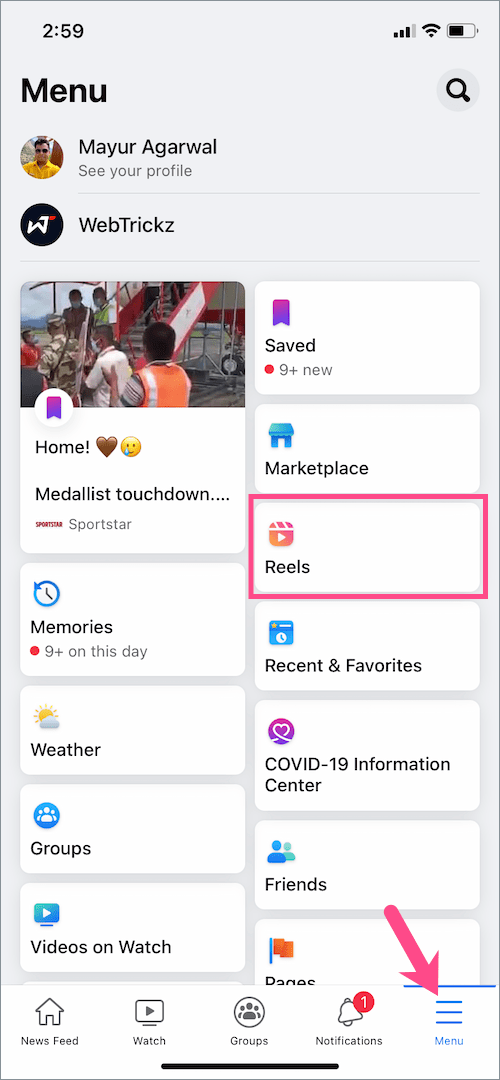
- Go to the Menu tab in the Facebook app and tap the “Reels” shortcut.
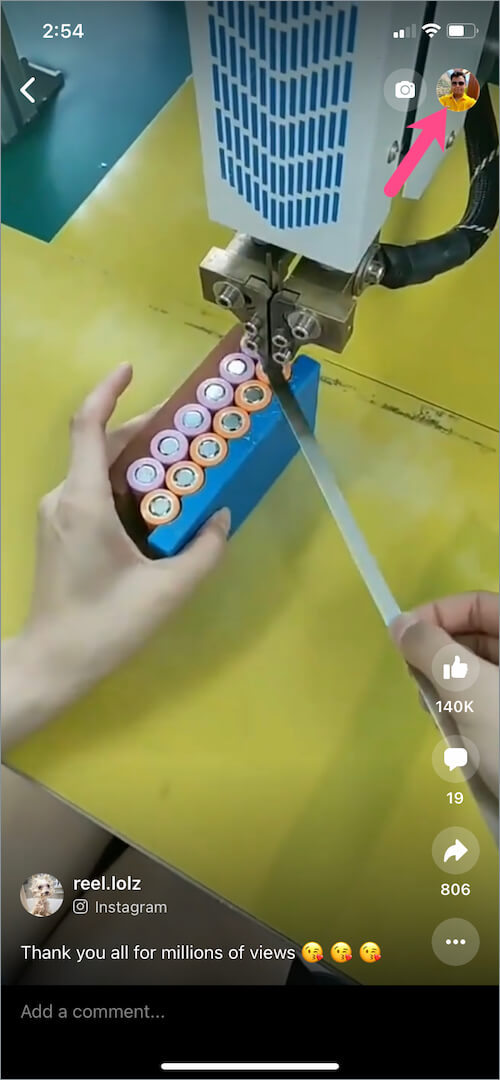
- Tap your Facebook profile picture in the upper-right corner.
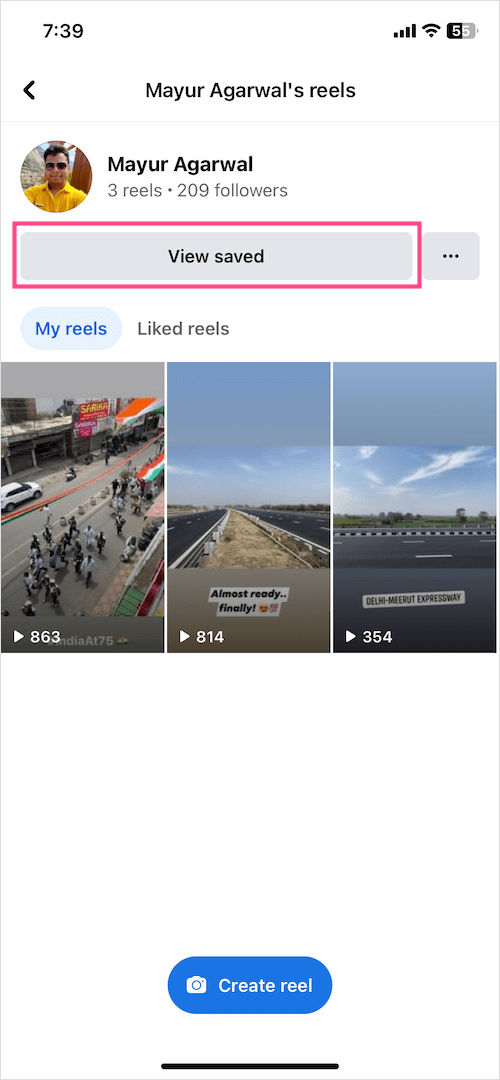
- On the reels page, tap the “View saved” button.
- Tap the “Saved reels” tab to view all your saved Facebook reels.

That’s it. You can also view your Saved audio and Saved effects in the Saved section.
An alternate way to view saved Facebook Reels
- Open the Menu tab and go to the “Saved” shortcut.
- Under the ‘Most Recent’ section, tap the “See All” button.
How to find your Liked reels on Facebook
Like Saved reels, Facebook lets you see all the reels liked by you in one place. Here’s how you can view liked reels in case you want to rewatch a reel that you liked earlier.
- Make sure to update the Facebook app to the latest version.
- Tap the Menu tab and open the “Reels” shortcut.
Happy Weekend 🙂